
If you've been following my travels, you know I'm living in Budapest, Hungary, for a year while my husband teaches English at a local middle school. Having a home base in Central Europe has given us an amazing opportunity to explore the region, discover new cultures, and—my personal favorite—eat our way through as many local specialties as possible!
Along the way, I've learned just how important it is to know how to back up travel photos and videos before something happens to them. From steaming bowls of Hungarian goulash to Polish pierogi and delicious Romanian dishes, I take tons of photos and videos to remember what we ate and help me write about our adventures later. The last thing I want is to lose all those delicious memories because my phone runs out of storage or takes an unexpected swim!
Here are a few of our recent adventures if you'd like to follow along:
- Budapest, Hungary: Exploring Budapest Through Food
- Szentendre, Hungary: A Colorful Day Trip From Budapest
- Vienna, Austria: Travel Guide
- Salzburg, Austria: A Day Trip From Vienna
- Krakow, Poland: A Food Guide
- Bratislava, Slovakia
- Bucharest, Romania: What I Ate in Romania
- Bulgaria
And of course, we're not just sightseeing. We're sampling the local cuisine at every stop!
You know the moment: a steaming bowl of goulash arrives at the table, the light is perfect, and suddenly you're taking 40 photos from every possible angle. Then you film a slow-motion video of that first delicious spoonful because, obviously, your readers need to see it.
Three days later, your phone is full, your battery is dead, or—worst-case scenario—your phone disappears. And all those photos and videos of the incredible food you ate? Gone.

If you travel for the food, losing your photos is a special kind of heartbreak.
For me, those pictures and videos are more than vacation snapshots. They're my restaurant list, my recipe notes, my travel diary, and my souvenirs all rolled into one. I use my phone to record dishes, menus, restaurant names, and little details I want to remember when I'm writing about a trip later.
Over time, I've developed a simple routine for organizing and backing up my photos without spending half my vacation staring at a screen. Because I'm here to enjoy the food, not spend every evening playing tech support!
Whether you're planning a big European adventure or a weekend getaway, here's how to back up and share your food photos and videos while traveling.
Your Phone Is Not a Backup
I know, I know. Your phone is practically attached to your hand when you're traveling. It's your camera, map, translator, restaurant finder, and sometimes your entire travel planner.
But here's the thing: your phone is one device, and one device is not a backup.
Storage fills up surprisingly quickly, especially if you're taking lots of high-resolution photos and videos. A few minutes of 4K video can use hundreds of megabytes, and a week of filming street food, market stalls, and restaurant meals can eat through gigabytes of storage before you know it.
If the only copy of a photo lives on the phone that took it, you're taking a pretty big gamble.
My husband has worked in IT for years, so I've picked up a few useful habits along the way. One of the most helpful is the 3-2-1 backup approach:
- Three copies of your important files.
- Two different types of storage.
- One copy stored somewhere else, such as a secure cloud service.
You don't have to turn your vacation into an IT project to follow the basic idea. Keep your originals on your phone, make another copy on a laptop or portable drive, and upload another copy to the cloud.
That way, if something happens to one device, your food memories aren't gone with it.

Want to Save This Recipe?
Enter your email & I'll send it to your inbox. Plus, get great new recipes from me every week!
By submitting this form, you consent to receive emails from Went Here 8 This.
Back Up Your Food Photos While You're Still Traveling
The biggest mistake is waiting until you get home to back everything up. That's when a lost phone or damaged device can turn a small problem into a very sad story.
A little daily maintenance goes a long way. Here's the routine I recommend.
1. Upload your photos every night
If your hotel has Wi-Fi, put it to work!
Set your phone or cloud app to upload your photos and videos automatically. I like the idea of starting the upload while I'm getting ready for bed or heading out to dinner. Let technology do its thing while you're enjoying your trip.
A few things to keep in mind:
- Use trusted Wi-Fi when possible.
- Check that your uploads have actually finished before assuming everything is safe.
- Avoid relying on public Wi-Fi for sensitive activities unless you're comfortable with the network and have appropriate protections.
- If you're traveling with limited mobile data, adjust your backup settings so large videos don't use up your data allowance.
And don't wait until the last day of your trip to upload everything. That's a lot of photos to transfer, and you never know when your internet connection will decide to take a vacation of its own.
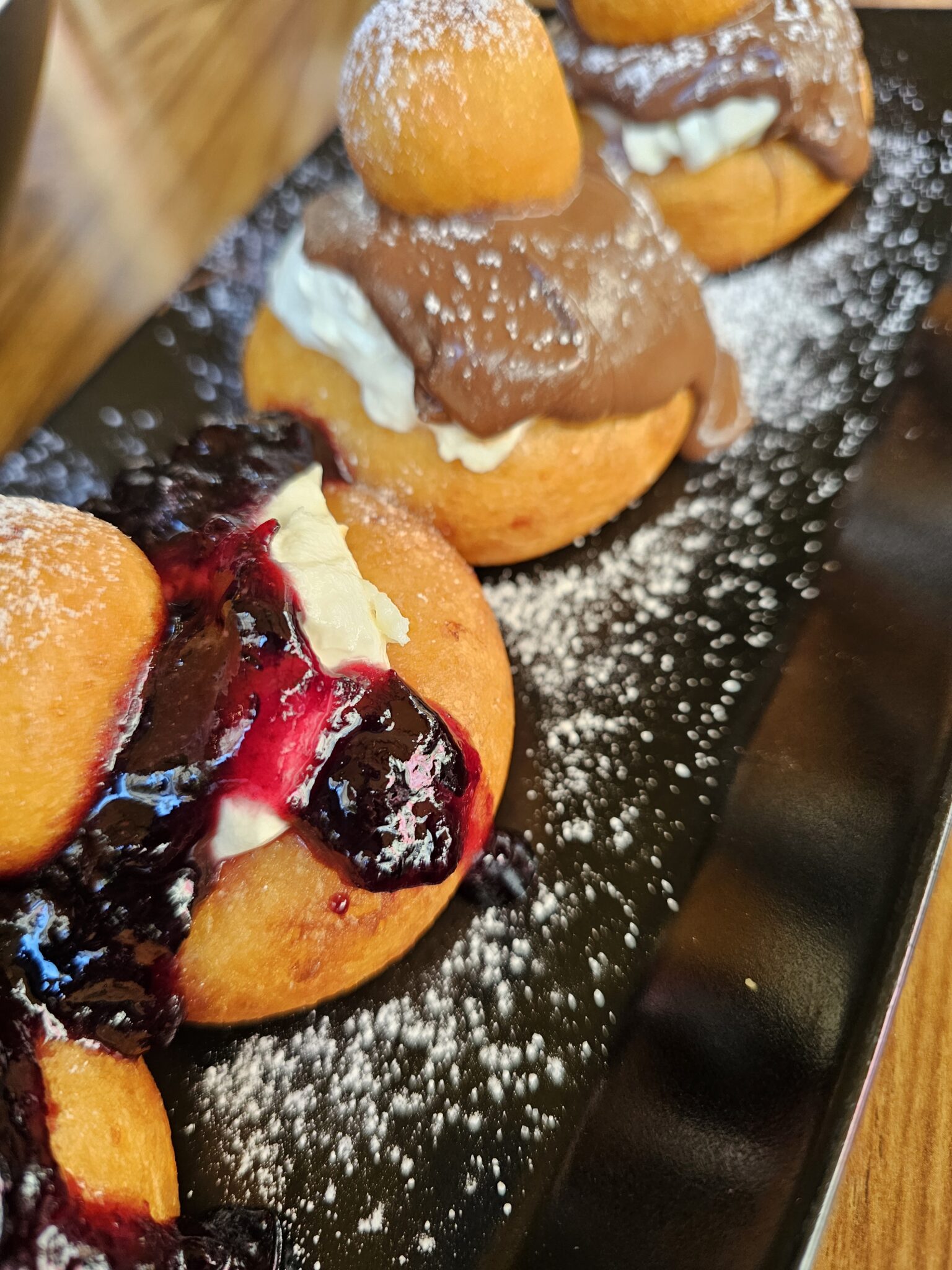
2. Organize your photos by city and restaurant
This is one of my biggest tips, especially if you're a food blogger or someone who likes to remember exactly where you ate something delicious.
At the end of each day, spend a few minutes organizing your photos. Create a folder for the city or day, then add subfolders for restaurants, markets, and attractions.
For example, my folders might look something like this:
- Budapest
- Restaurant Name
- Great Market Hall
- Chimney Cake
- Krakow
- Pierogi Restaurant
- Old Town
- Local Food Market
- Bucharest
- Restaurant Name
- Traditional Romanian Dishes
When I visit a restaurant, I like to keep photos of the menu, the restaurant name, and the dishes we ordered together. I also take pictures from different angles because I never know which shot I'll want when I'm writing a post later.
Trust me: future-you will appreciate the organization.
When you're back home trying to remember the name of that little restaurant tucked down a cobblestone street, you'll be glad you took a photo of the menu instead of assuming you'd remember it forever. Spoiler alert: you probably won't.
3. Keep a second local copy
Cloud storage is great, but I like having another copy when I'm traveling with a lot of photos and videos.
If you bring a laptop, copy your files to it. A portable SSD is another useful option because it's small, lightweight, and can hold a lot of data.
A few simple rules:
- Copy your files before deleting anything from your phone.
- Open a few files from the backup to make sure they transferred correctly.
- Keep your portable drive somewhere separate from your phone when practical.
- Don't erase your originals until you've confirmed the backup is complete.
A second copy won't help much if it sits in the same bag as the phone that gets lost. When possible, separate your devices and backups.
4. Choose cloud storage that fits your needs
Cloud storage makes it much easier to protect photos while traveling, but not every service works the same way.
Before choosing one, consider:
- Storage space: free cloud storage can have fairly small limits, and videos take up space quickly so check your options
- Automatic uploads: Look for a service that can back up your photos without requiring you to upload every file manually.
- Privacy: Check how the provider handles your files and what security features it offers.
- Sharing controls: Make sure you can control who sees your photos and videos.
- Offline access: Consider whether you'll need to access files when you don't have an internet connection.
If privacy is a priority, take a look at Proton Drive, which offers encrypted cloud storage and file sharing. Compare its current storage limits and features with your needs before deciding whether it's the right fit.
The best backup system is the one you'll actually use. It doesn't have to be complicated; it just needs to protect those precious food memories.
How to Share Your Food Photos and Videos Without Losing Quality
Once your photos are backed up, it's time to share them! Maybe you're sending pictures to family, posting your favorite meal on Instagram, or sharing a folder with someone who traveled with you.
A few small habits can make sharing easier, keep your photos looking great, and help protect your privacy.
Send original files when quality matters
Ever sent a beautiful food photo to a friend only to have it arrive looking blurry or pixelated?
Some messaging apps compress photos and videos to make them quicker to send. That's usually fine for a quick snapshot, but it isn't ideal when you want to preserve every detail of a beautifully plated dish.
If you're sharing a video of a market vendor making fresh pasta or a photo of the most incredible bowl of goulash you've ever eaten, consider sending the original file or sharing a cloud link that allows the recipient to download it.
This is especially useful if you're saving photos for a blog post, cookbook, or future recipe inspiration.
Check your sharing permissions
Cloud sharing is convenient, but it's worth checking the settings before sending a link.
Depending on the service, you may be able to:
- Restrict access to specific people.
- Set a password.
- Choose view-only or download permissions.
- Set an expiration date.
- Revoke access later.
A link that expires after a set period can be a better choice than one that stays active forever. And if you're sharing personal photos, check whether the link is restricted to invited people or available to anyone who receives it.
Before sharing a folder, take a quick look at what's inside. You don't want to accidentally share passport photos, travel documents, or other personal information along with your pictures of dinner.
Think about location data before posting
Here's something many people don't realize: photos can contain metadata, including the date, camera details, and sometimes GPS coordinates.
That information can reveal more than you intended, especially if a photo was taken at your home or another private location.
Before posting publicly, check your phone's location settings and the sharing options for your photos. Many phones let you remove location information when sharing an image.
For more information about protecting your privacy, the Electronic Frontier Foundation's Surveillance Self-Defense resources are a useful place to start.
I love sharing travel photos, but I don't need the entire internet knowing exactly where I took every picture. A little privacy goes a long way!

Be considerate of the people in your photos
Travel photos often include more than food and scenery. You might capture a friendly restaurant owner, a vendor at a market, or a family enjoying a day in the square.
Before posting recognizable people publicly, think about whether they would be comfortable being included. Be especially careful with photos of children.
If a photo is meant for friends or family rather than the public, a private album or restricted sharing link is a better option.
You can still share the magic of your travels while respecting the privacy of the people who make those places special.
My 15-Minute Pre-Trip Photo Backup Checklist
Before heading off on your next adventure, take a few minutes to make sure your photo setup is ready.
- Free up storage space on your phone.
- Check that your cloud account has enough room for new photos and videos.
- Turn on automatic uploads and test the system with a photo.
- Decide how you'll organize photos by city, day, or restaurant.
- Make sure you know how to share a folder or original file.
- Review your photo location settings.
- Pack a portable SSD or other backup device if you're taking lots of video.
- Check that you can access your cloud account if your phone is lost.
- Make sure important account recovery details are available somewhere safe.
That last one is easy to overlook. If your phone disappears while you're traveling, you don't want to discover that you can't log in to your backup account because your only sign-in method was on the missing phone.
A little preparation now can save a lot of frustration later.
Keep Your Food Travel Memories Safe
None of this is particularly glamorous. Organizing folders and checking cloud uploads probably won't be the highlight of your vacation.
But it means your memories can survive the trip!
I want to remember the chimney cakes in Budapest, the pierogi in Krakow, the delicious Romanian dishes, and all those unexpected little restaurants we stumble across while exploring a new city. I want to remember what we ordered, what it tasted like, and which places I want to tell you about when I get back to writing.
Having a simple backup routine lets me take all the photos and videos I want without worrying quite so much about losing them. And because the process only takes a few minutes a day, it doesn't get in the way of the fun.
So go ahead and take those 40 photos of your dinner. Film the sizzling street food. Snap a picture of the menu so you can remember the name of that amazing dish.
Just make sure you back it all up!
Looking for more inspiration for your next foodie adventure? Start with my Budapest food guide, explore my Krakow food guide, or check out 6 Must-Haves for Gourmands Who Travel.
Happy travels—and may your phone always have enough storage for dessert!




Comments
No Comments